Repeating tasks
Some things come round again and again. The gym. The rent. Watering the plants. Brushing our teeth before bed (hopefully). In Vellum these are repeating tasks: tick one and it comes straight back on its next day. It's the same task every time, not a pile of copies. It just moves forward, and the days we've done it collect in a Done list at the bottom of its page.
That part is easy. The tricky part is life. We forget to tick it. We skip a day. We go to the gym on Saturday instead of Friday. We're away for a long weekend and the plants ... well, someone watered them, right? Hopefully.
So here's what's in store. First the basics: setting a repeat, moving it just this once without breaking its rhythm, and the three ways to pause or stop one. Then a set of examples, one per situation, each with what to click and what you'll see: a late week at the gym, a missed night of teeth brushing, the plants after a long weekend away, a bill paid late, a water filter that counts from the day it's changed, a day we recorded wrong, and a tick we didn't mean. Maybe you relate to one or more of these. Gym turns up in a few, because Gym is where most of our weeks go sideways. And at the end, a few handy extras: notes on a done day, and using the keyboard.
Every picture on this page was taken on Monday, October 5, so in the examples "today" is that Monday.
NB: Cmd throughout is the Mac key. Use Ctrl on Windows and Linux.
Setting a repeat
Let's start with a task that repeats for a while and then stops. Say you're on antibiotics for five days.
On today's page, click + add item, type Take antibiotics #task and hit Enter to take #task from the list. Click the bullet dot next to it to open it on its own page.
Click the When box and type every day, 5 times. Before you hit Enter, the line under the box reads back what it understood.
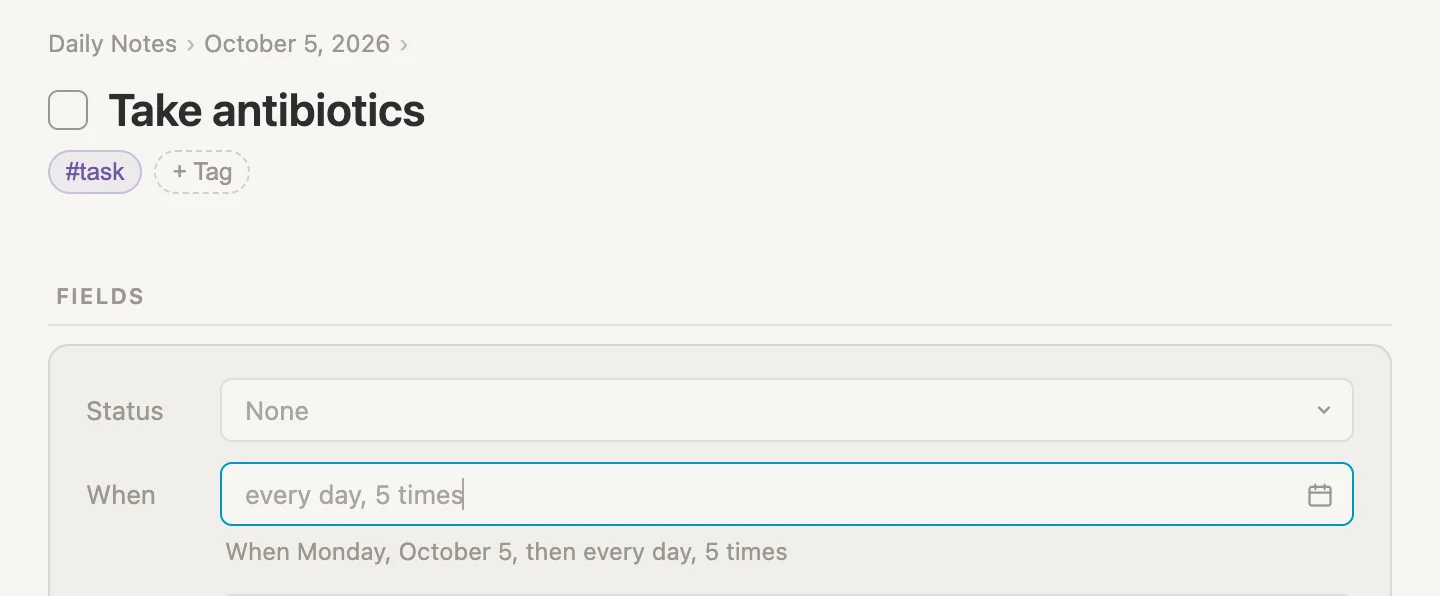
Hit Enter. The When box now holds today's date, with the repeat in grey beside it.
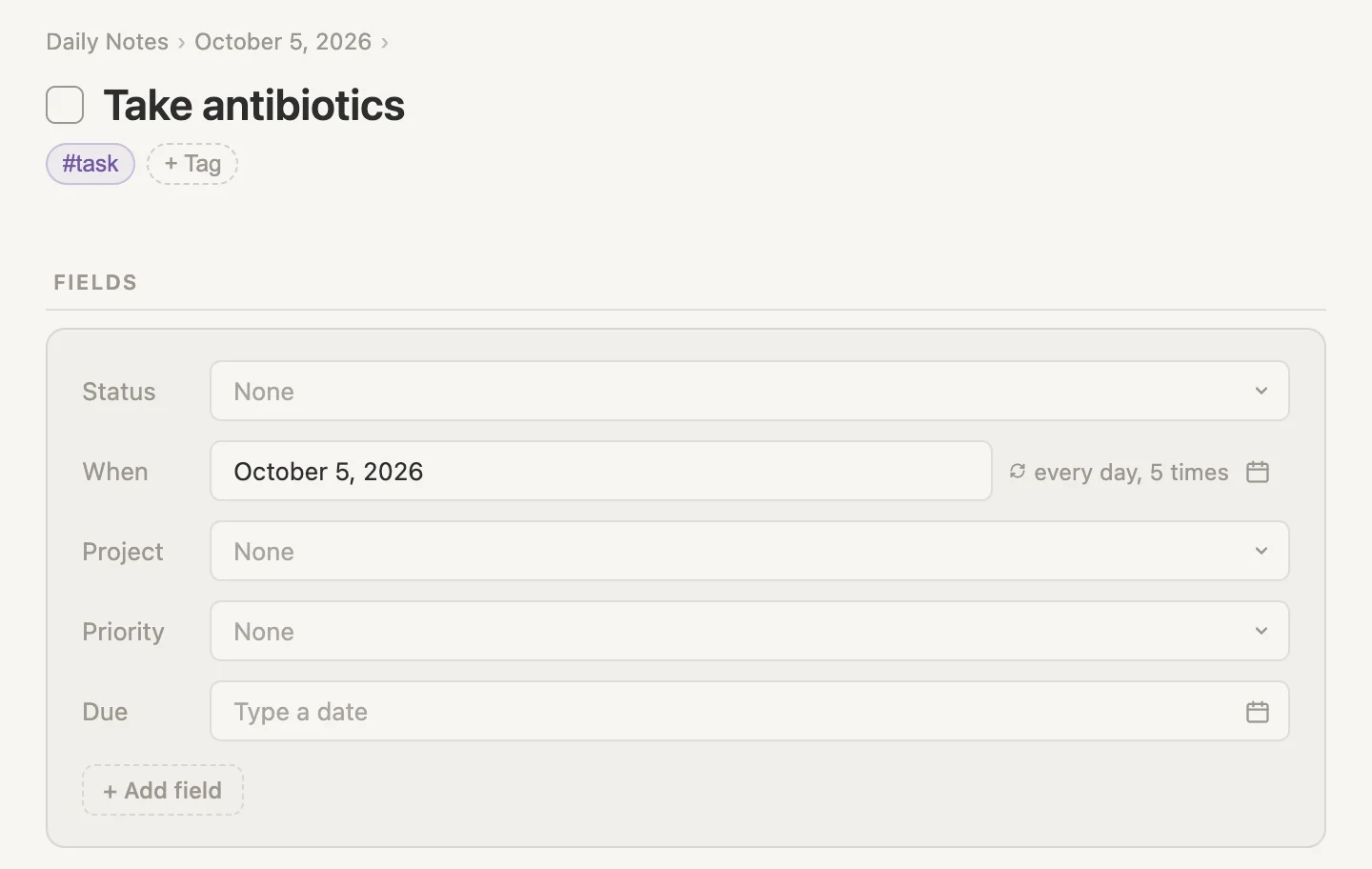
Tick it and it comes straight back tomorrow. The message at the bottom of the window says so: Take antibiotics done. Back on Tuesday, October 6. On the fifth tick the message is Take antibiotics done for the last time. The repeat is finished, and the task stays done.
Other ways to say it
The When box understands most of the ways you'd say a repeat out loud. A few to try, with what the line under the box reads back:
| Type this | The line under the box reads |
|---|---|
every mon, wed and fri | When Monday, October 5, then every Monday, Wednesday and Friday |
every month on the 1st | When Sunday, November 1, then every month on the 1st |
7 days after done | When Monday, October 12, then 7 days after each time it is done |
every day until friday | When Monday, October 5, then every day until October 9 |
every monday, 4 times | When Monday, October 5, then every Monday, 4 times |
That 7 days after done one is a different animal. It doesn't follow the calendar, it counts from the day you tick it. We'll meet it again with the water filter.
Or pick it from a menu
If you'd rather click than type, click the small calendar at the right end of the When box. Near the bottom, Repeats opens a menu built from the task's date.
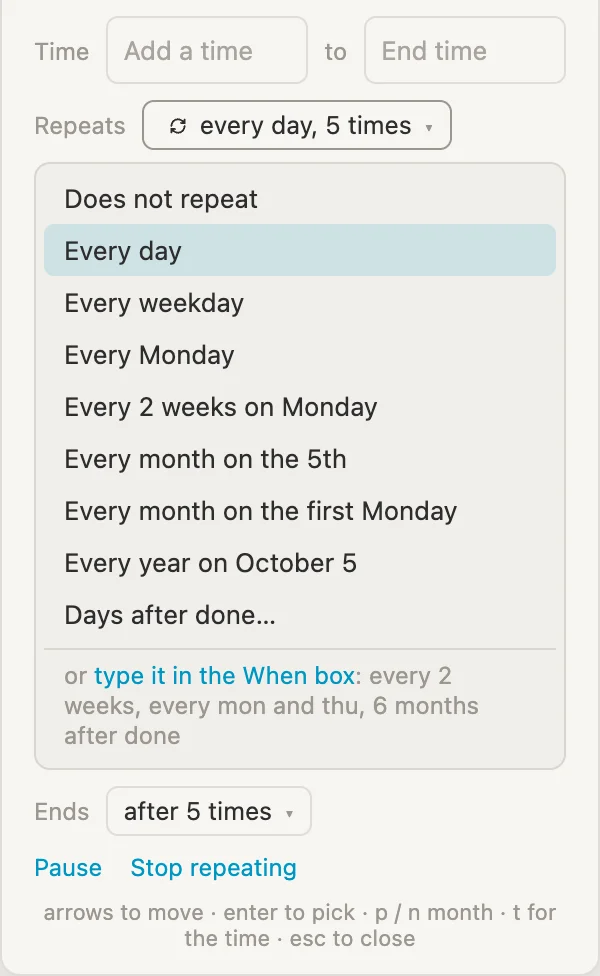
Pick one, and Ends appears under it, saying when the repeat stops: Never, On a day… or After a number of times….
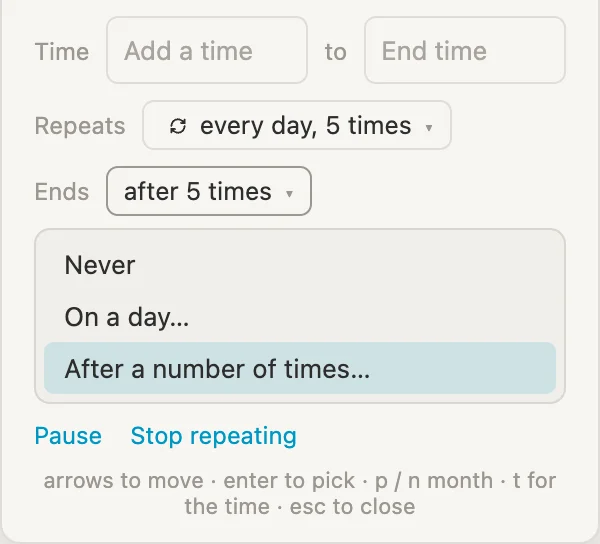
And once a repeat is set, Pause and Stop repeating sit underneath those two, for when the series takes a break or is over for good. More on those two in a moment.
Moving it just this once
Physio is every Wednesday. This week the physio can only do Thursday. We don't want to change the whole series, just this one session.
Open Physio and click in its When box, which reads October 7, 2026. Delete what's there, type thursday and hit Enter.
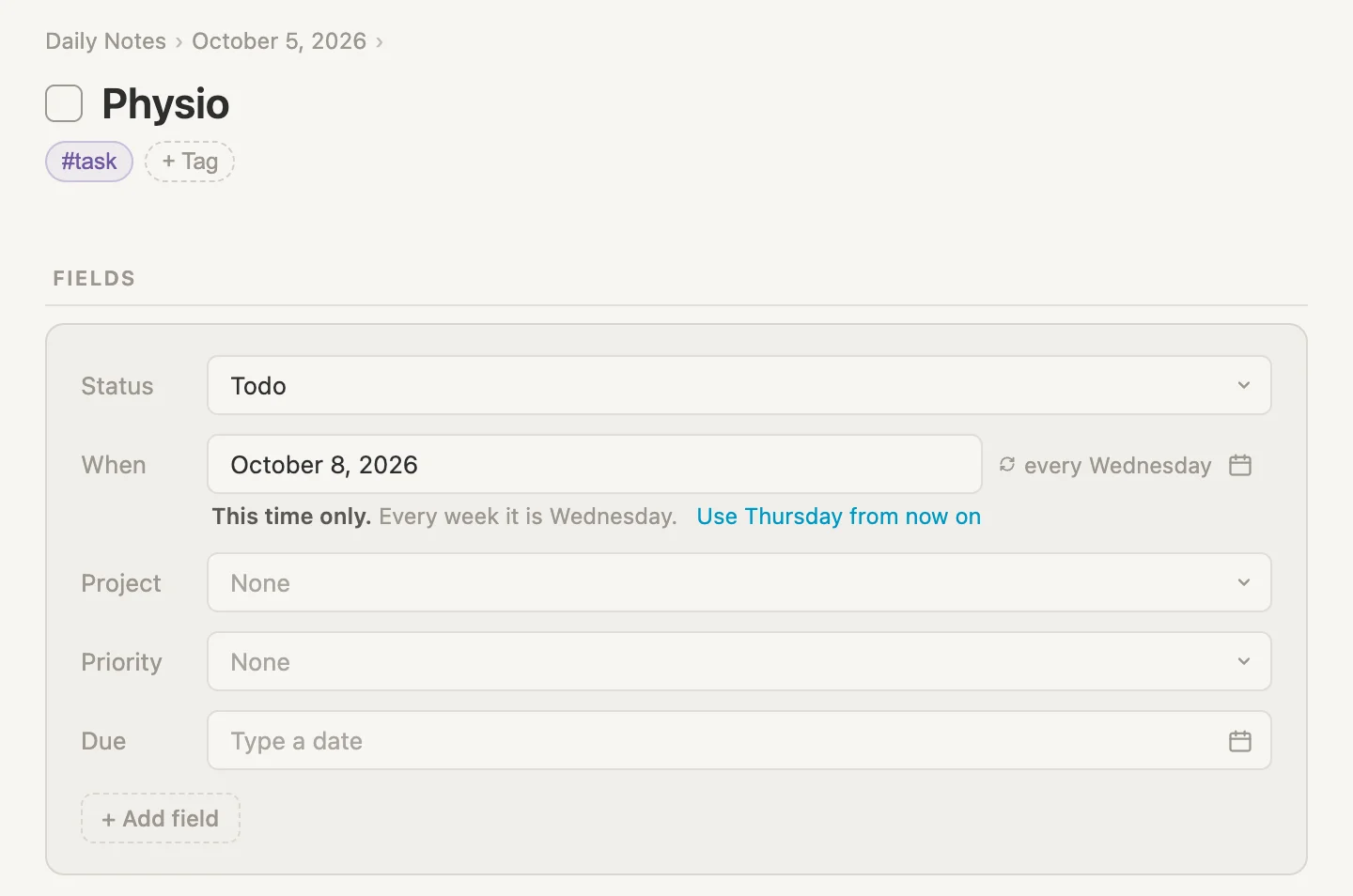
The When box now reads October 8, 2026, that Thursday, and the line under it says what that means: This time only. Every week it is Wednesday. Once we tick Thursday's session, Physio goes straight back to its usual day: Physio done. Back on Wednesday, October 14.
And if the physio has moved to Thursdays for good? Click Use Thursday from now on instead. Physio. From now on When is every Thursday.
Pausing, stopping, or canceling for good
There are three ways to take a repeat out of our week, and each does something different.
Pause: a break, then back to normal
Piano lessons are every Tuesday, but the teacher is away for a month. Open Piano lessons, click the small calendar beside its When box, and click Pause at the bottom.
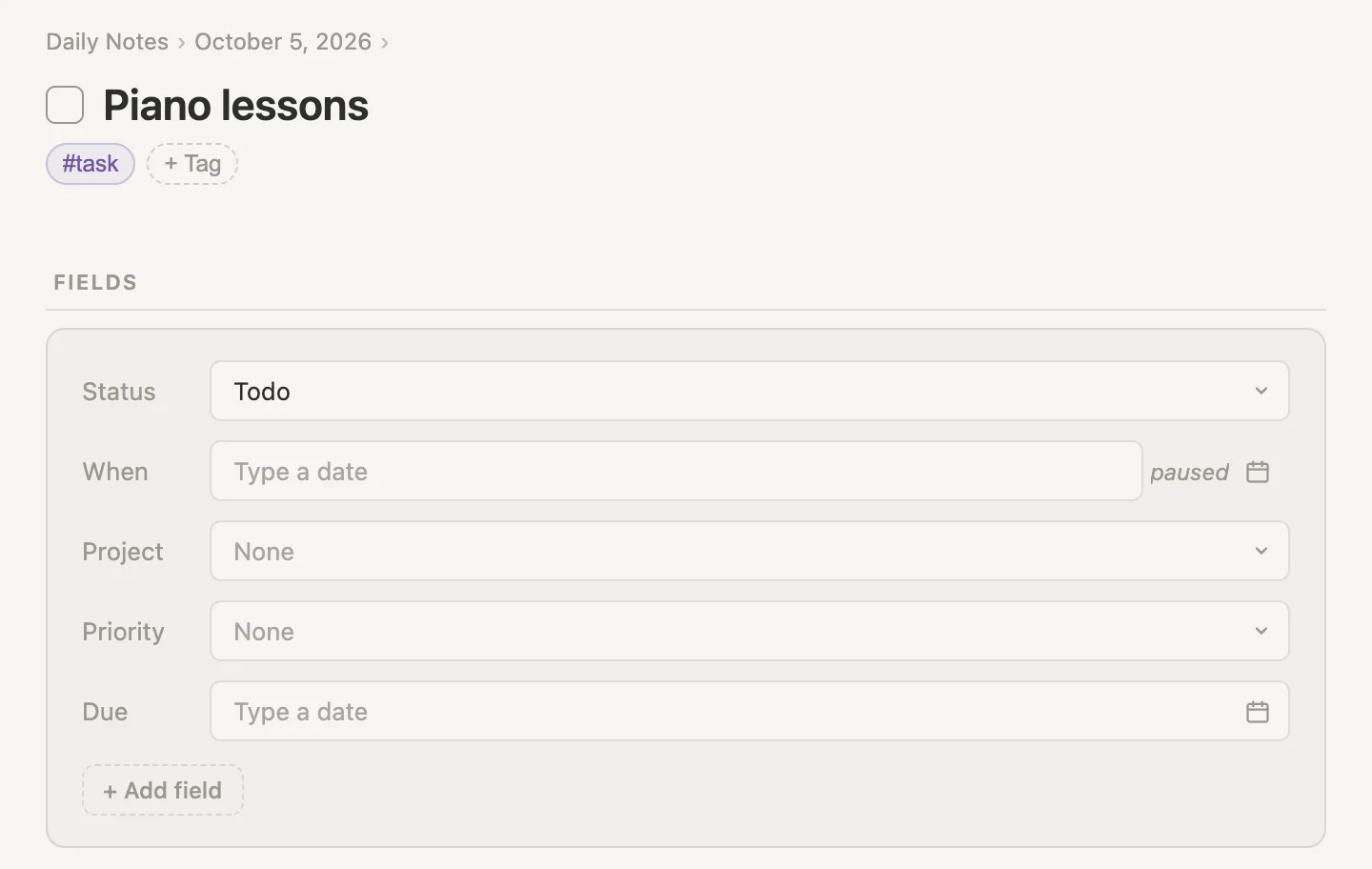
The When box empties, and beside it, where every Tuesday was, it now says paused. When lessons start again, open the same calendar and click Resume. Piano lessons comes back on its next Tuesday, and its Done list is just as it was.
Stop repeating: one last time
Swimming lessons are every Thursday, and the course ends this week. Open Swimming lessons, click the small calendar beside its When box, and click Stop repeating.
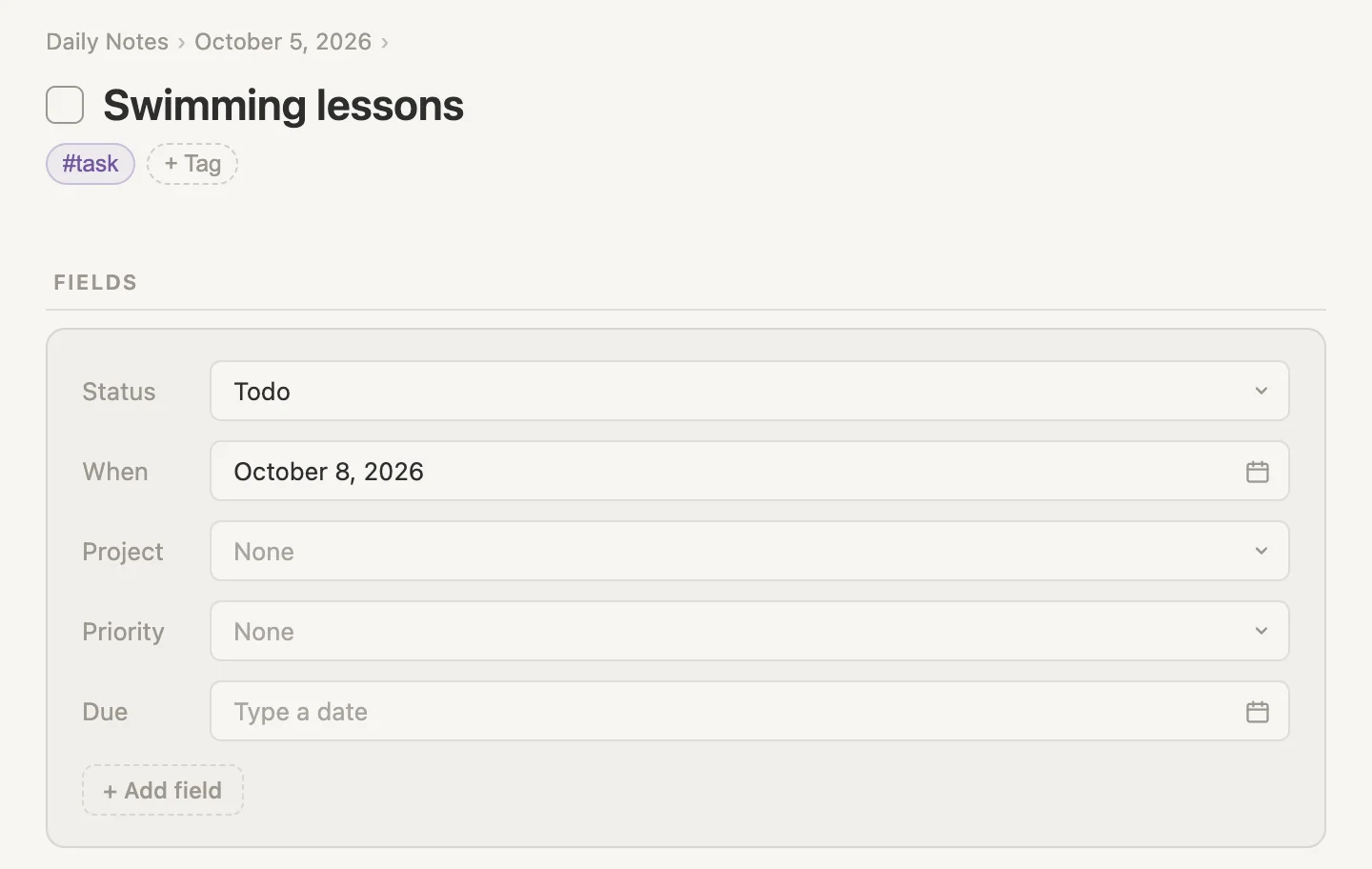
The repeat comes off, and the When box keeps this Thursday's date. So the last lesson is still there as an ordinary task, and once it's ticked, that's the end of it. The Done list keeps every lesson so far.
Cancel the series: done with it for good
Book club meets every other Thursday, and the club has folded 😞. Open Book club and Shift-click the checkbox beside its title.
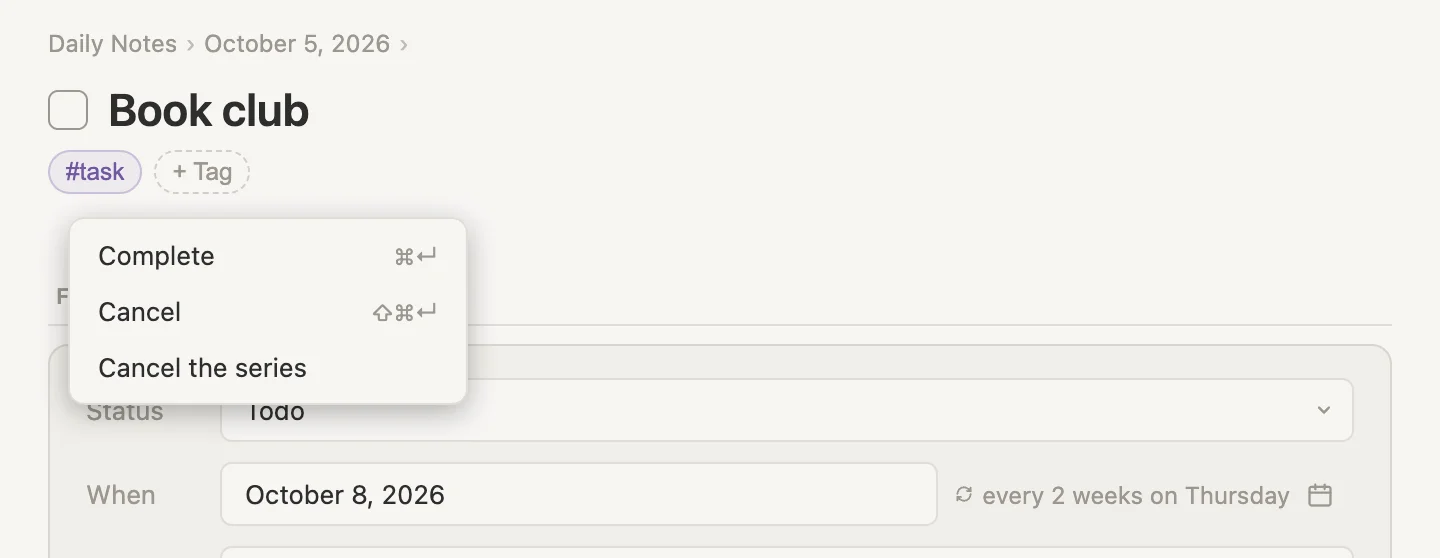
Click Cancel the series. Book club canceled. The repeat is stopped. The task itself is canceled, the repeat comes off, and the Done list gets one last line: today's date, struck through, with for October 8, 2026 and canceled beside it.
That menu also shows two keys: Cmd-Enter ticks and Shift-Cmd-Enter cancels. More on those at the end.
Gym, a week gone sideways
Gym repeats every Monday, Wednesday and Friday. We last ticked it on Monday, September 28. Today is Monday, October 5, and Gym's When is still Wednesday, September 30. That makes it late: a repeating task is late once the day it's waiting on has passed.
What really happened that week? We skipped Wednesday. And we went on Saturday instead of Friday. And we're going again tonight, honest.
One idea before we start, because everything on this page rests on it. Each choice records the one day you pick. If that's the day the task is waiting on, or later, the task moves on past it. Anything earlier that you didn't record stays blank. Blank is fine. It just means nobody wrote anything down.
The menu on the checkbox
Click the bullet dot next to Gym to open it on its own page, then Shift-click the checkbox beside its title (right-click works as well).
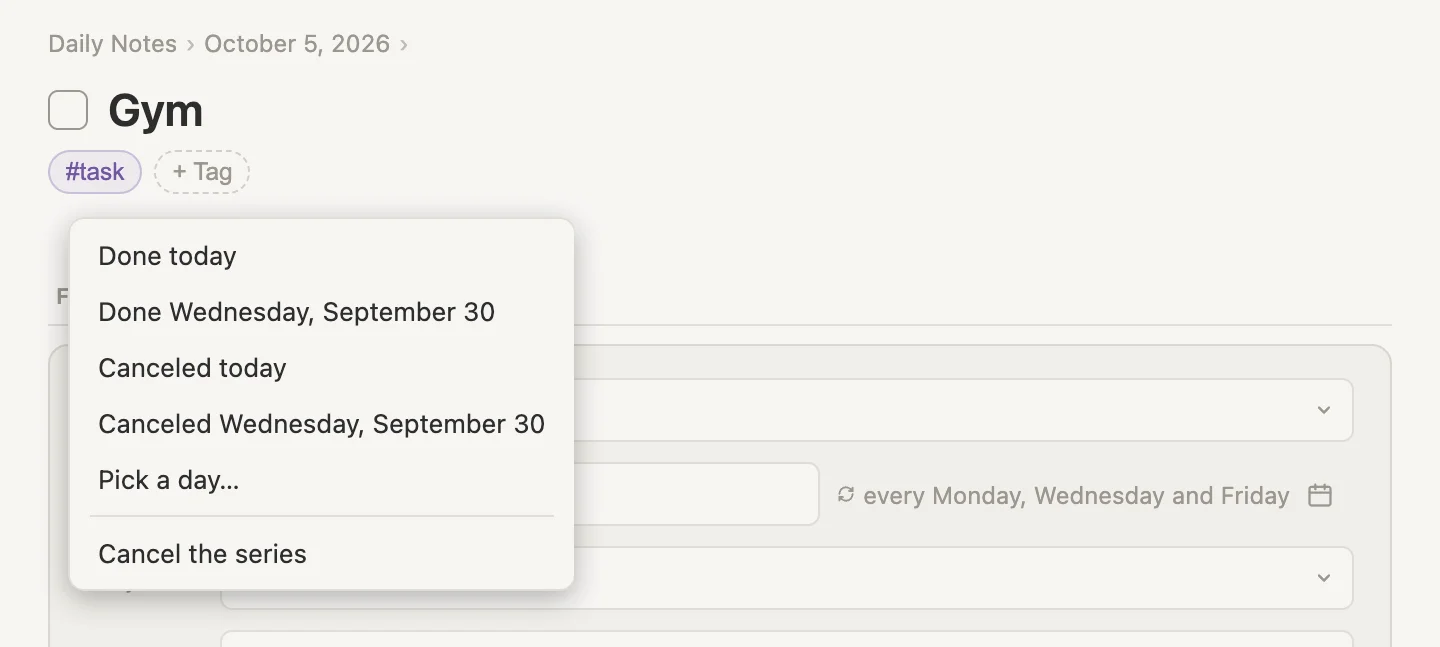
The menu names the day Gym is waiting on, so we don't have to remember it. Canceled today is there because today is a Monday, one of Gym's own days. On a task whose day isn't today, rent on the 1st say, it won't show.
That menu only shows up once a task is late. On a task that's on time, the checkbox menu is just Complete, Cancel and Cancel the series. To fill in a past day on it, open the task and use Add a day beside DONE. That heading only appears once the task has been ticked at least once.
Skipping Wednesday
Click Canceled Wednesday, September 30. The message at the bottom of the window says Gym canceled. Still late: waiting on Friday, October 2. Friday has gone by as well, so Gym is still late, now waiting on Friday.
Saturday, for Friday
Shift-click the checkbox again and this time click Pick a day…. The menu turns into a month, with Done selected at the top.
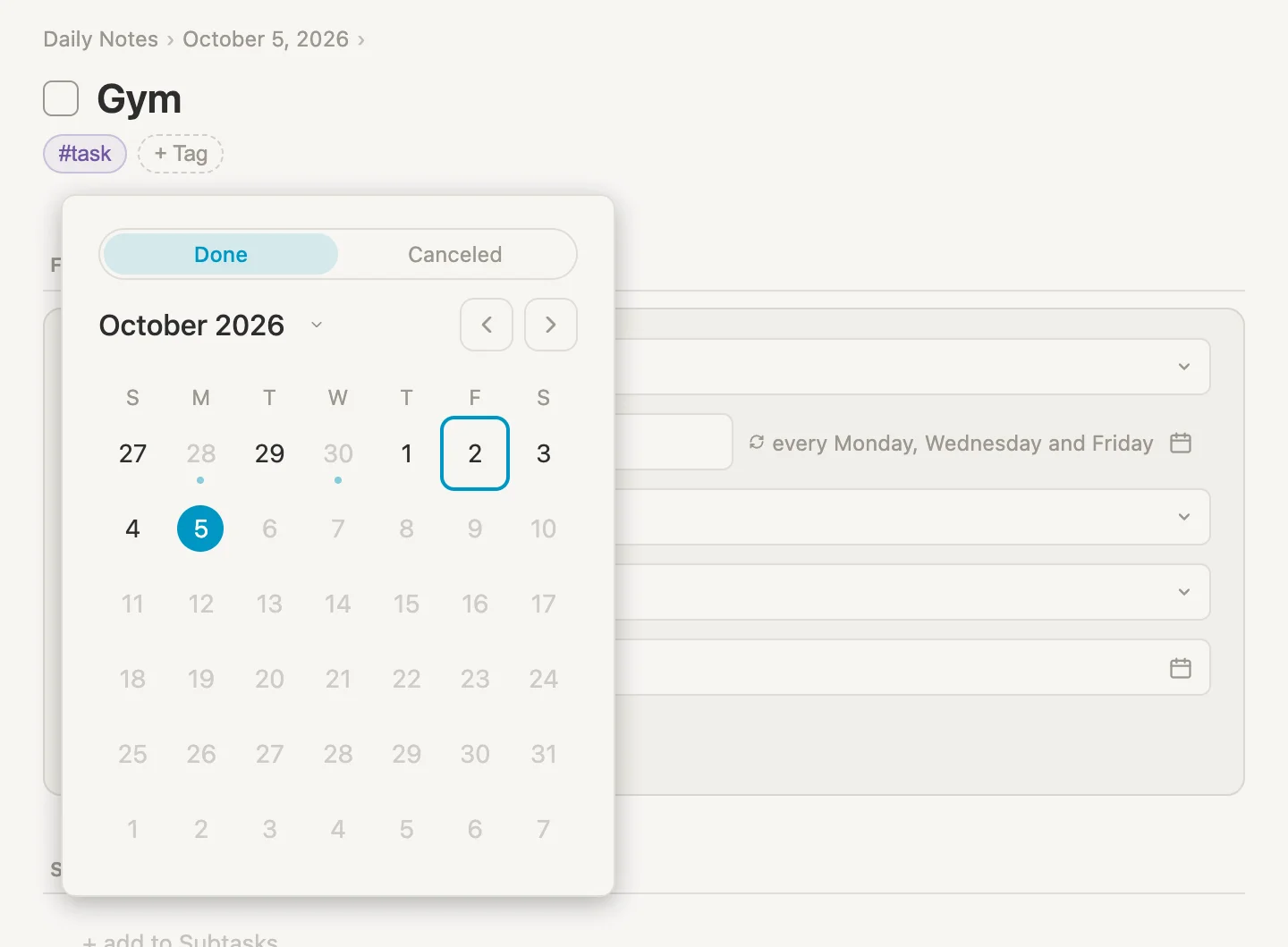
The ring is the day Gym is waiting on, and the filled circle is today. Days after today are faint, because nobody has been to the gym tomorrow. September 28 and 30 are faint with a dot under them: they're already on Gym's list, so they can't be picked twice.
Leave Done as it is and click 3.
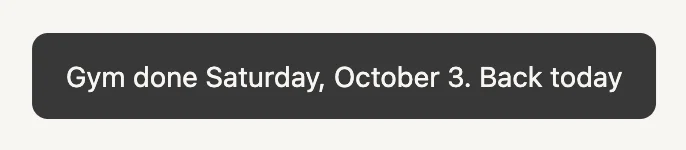
Saturday isn't a Gym day, so Vellum counts it as making up the most recent session before it, which is Friday's. Then Gym moves on to its next day after Saturday. That's today, so it's back on today's list and no longer late.
Tonight, honest
We're definitely going tonight, so let's tick Gym's checkbox now, the normal way, and save ourselves the trouble later. Gym done. Back on Wednesday, October 7. Hold that thought.
What Gym's Done list says
We're still on Gym's page, so just scroll down to DONE.
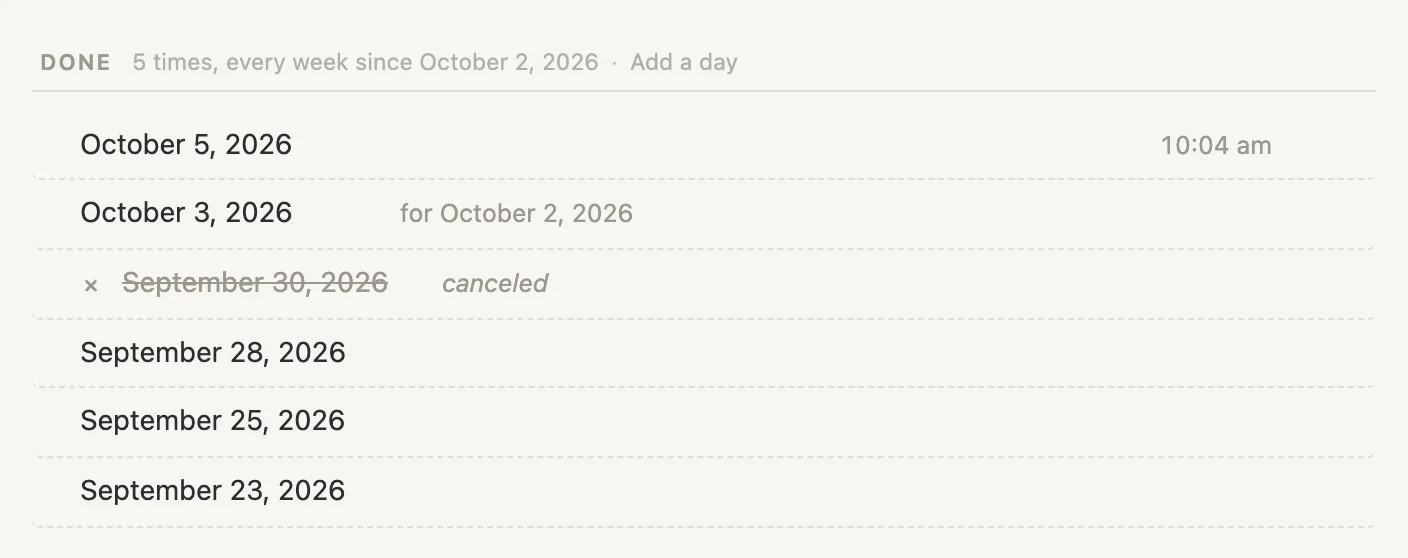
The whole week, in order. Saturday's line says for October 2, 2026, meaning done on Saturday for Friday's session. Wednesday is struck through with canceled beside it. Nothing is blank this time, because we settled every day. We didn't have to.
Brush teeth, and last night
Brush teeth PM repeats every day. Today is Monday, and it's still waiting on yesterday, Sunday. We forgot to tick it last night.
Open Brush teeth PM (its bullet dot) and Shift-click the checkbox beside its title.
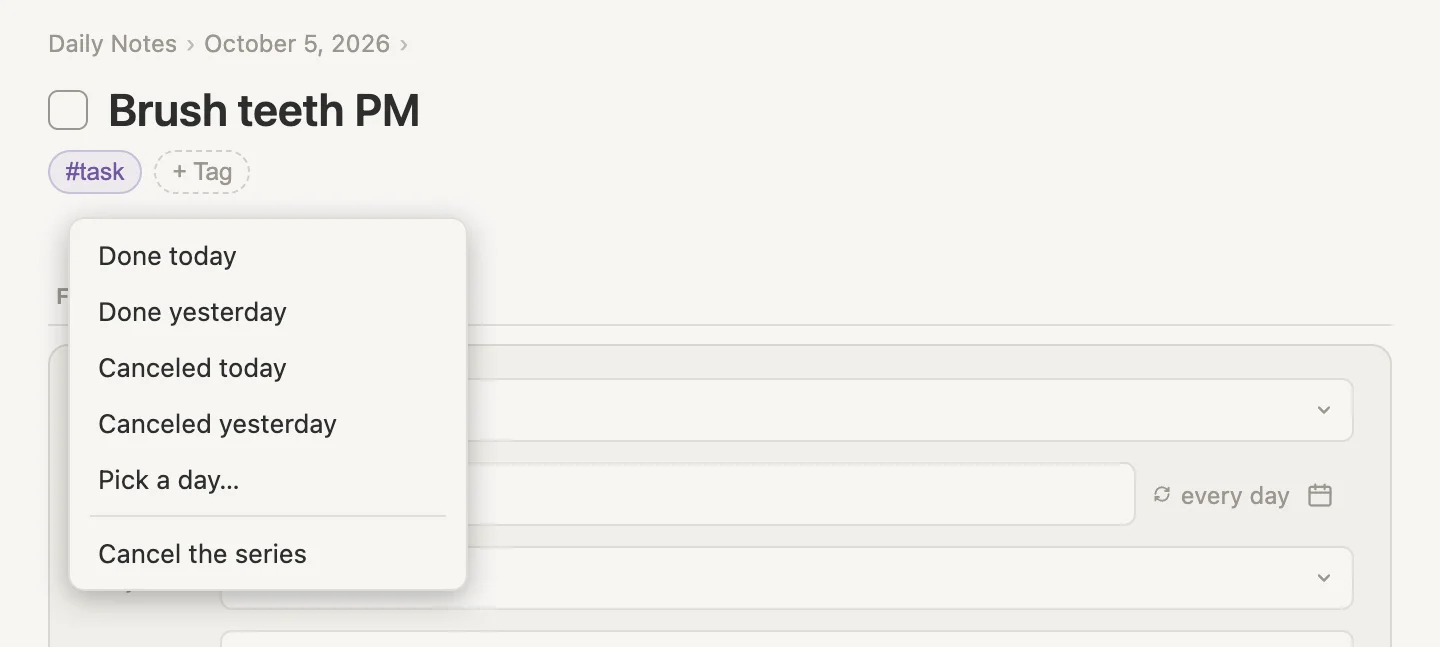
When the day it's waiting on was yesterday, the menu just says yesterday.
- We did brush and just forgot to tick it? Click Done yesterday. The message says Brush teeth PM done. Back today. Sunday is recorded, and it stays on today's list for tonight.
- We skipped it (no judgement)? Click Canceled yesterday. Brush teeth PM canceled. Back today. Same place, a different line on its list.
Clicked the wrong one? Cmd-Z puts the task, its date and its Done list back exactly as they were. That goes for every choice on this page.
Water plants, and a long weekend away
Water plants repeats every day. We watered on Wednesday, September 30, then went away Thursday to Sunday. Today is Monday and it's waiting on Thursday, October 1.
If the skips don't matter
Water them, then tick the checkbox the normal way. Water plants done. Back on Tuesday, October 6. Monday is recorded, Thursday to Sunday stay blank, and that's the end of it. Most of the time, that's all it needs.
If you want the skips on record
Maybe someone else was watering them and we'd like to know how often the plants went without. Click the bullet dot next to Water plants to open it, and scroll down to DONE. Beside the count is Add a day. Click it, switch the top of the month to Canceled, and click 3.
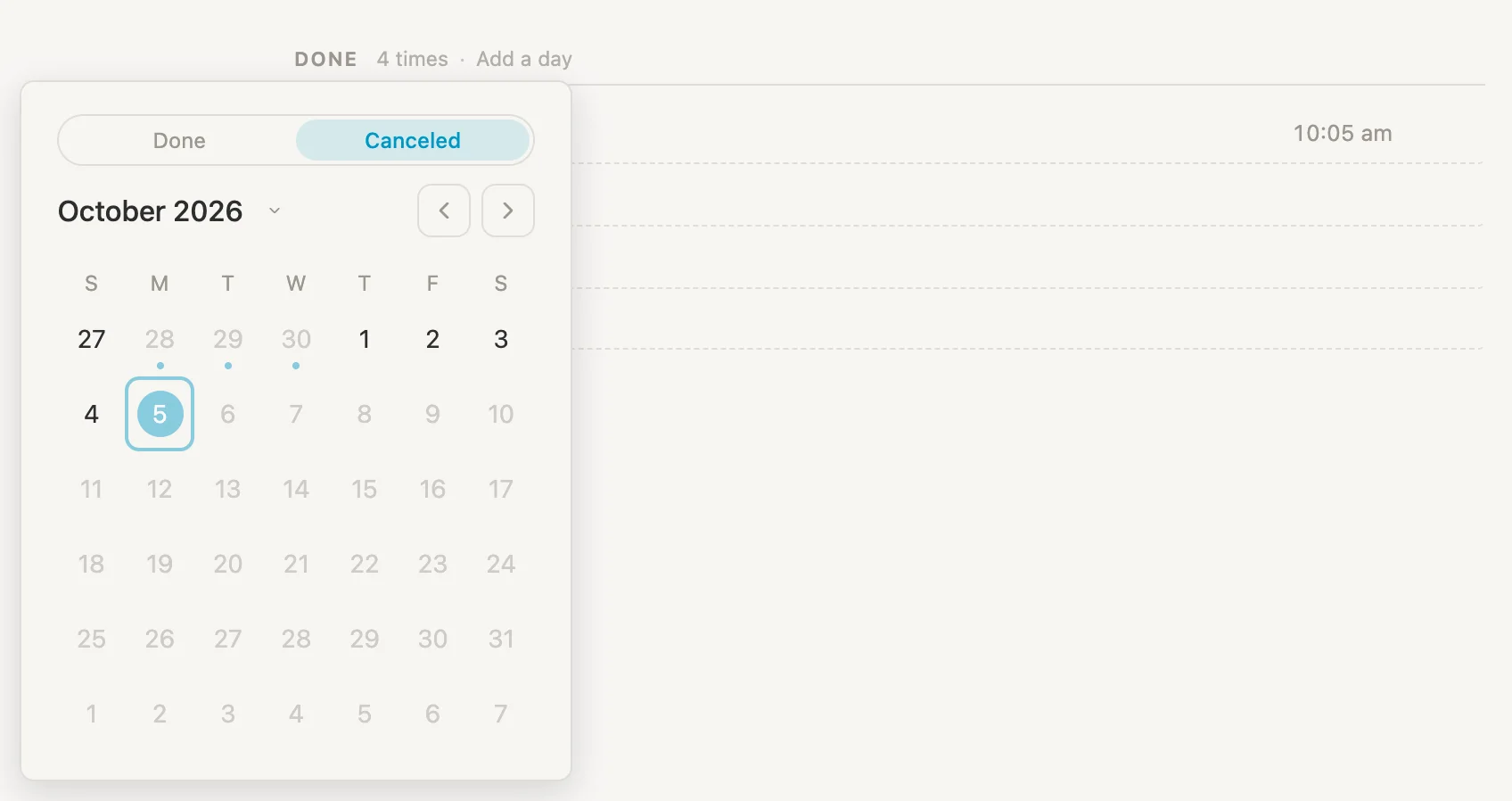
The ring around today is just where the month opens. It doesn't mean anything here.
Water plants canceled Saturday, October 3. Back on Tuesday, October 6. Now do the same for the 1st, the 2nd and the 4th: click Add a day, switch to Canceled (the month opens with Done selected every time), and click the day. Any order works. The list sorts itself by day.
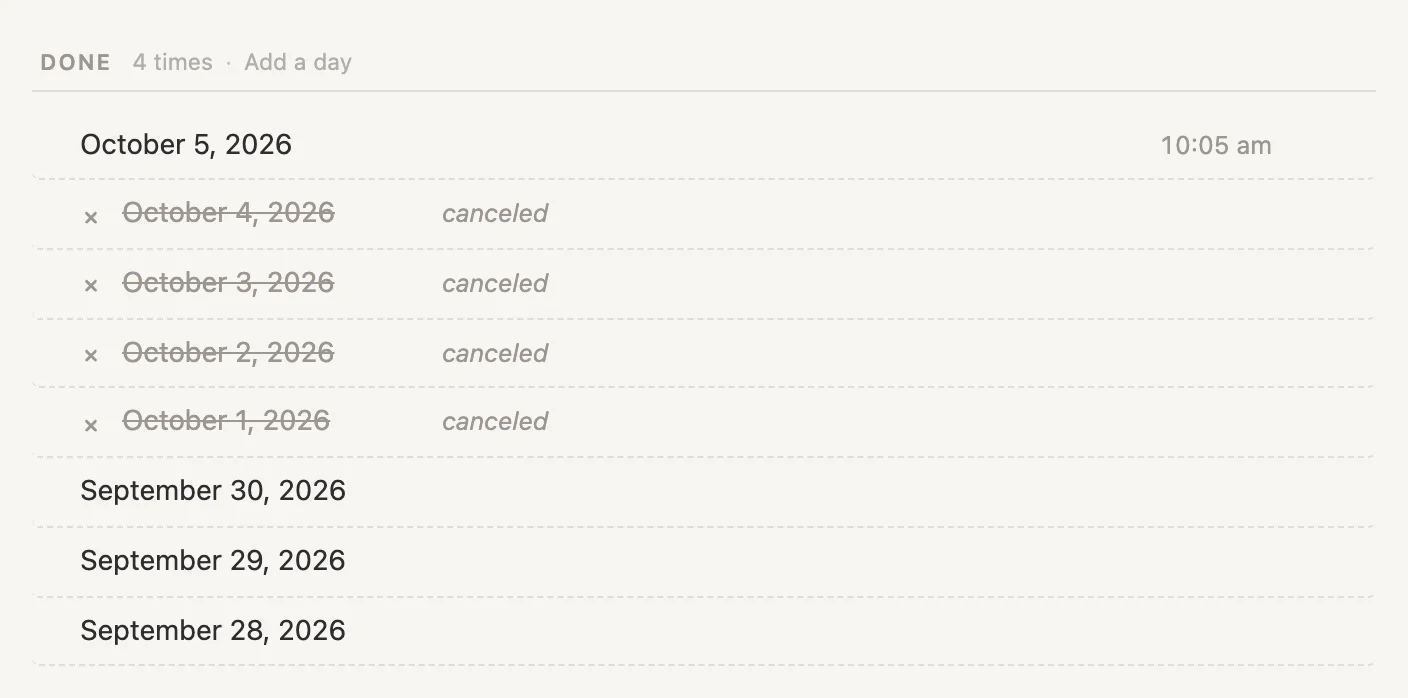
None of this moves Water plants. It stays on Tuesday, where today's tick put it.
Pay rent, paid on the 3rd
Pay rent repeats on the 1st of every month. We paid it on Saturday the 3rd and never ticked it, so on Monday it's still waiting on Thursday, October 1. Open Pay rent and Shift-click the checkbox beside its title.
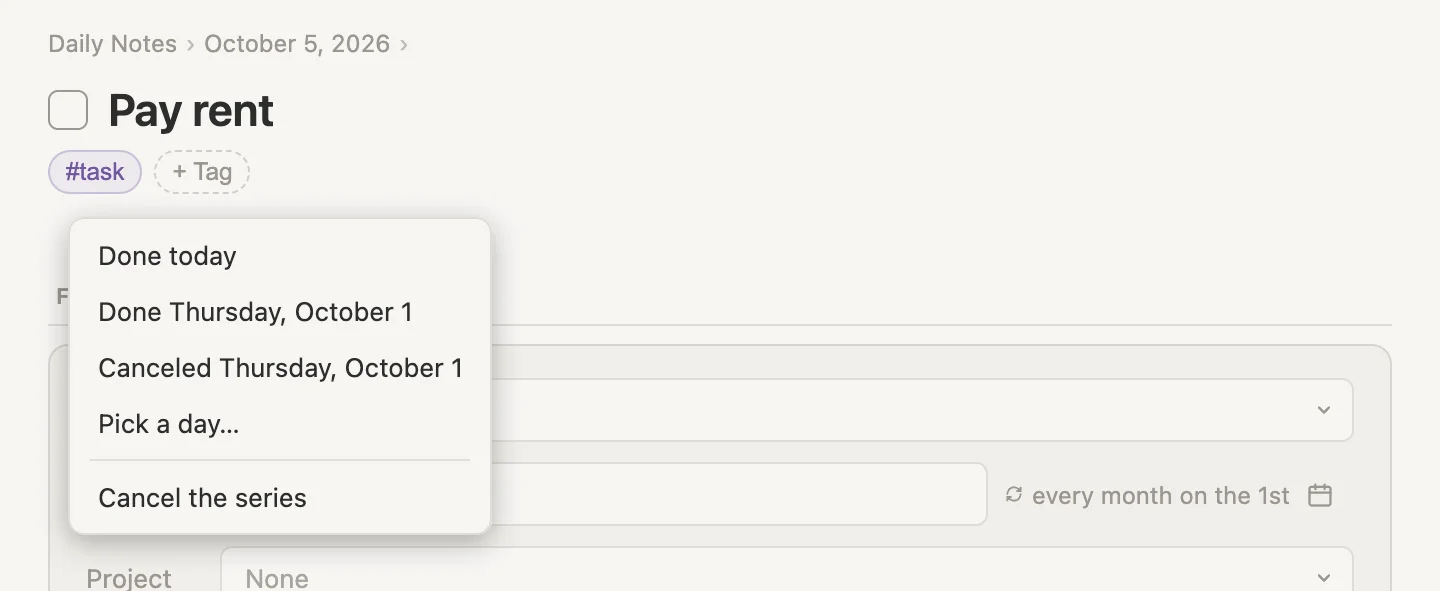
No Canceled today this time. Today isn't the 1st, so there's no rent to cancel today.
Click Pick a day…, leave Done selected, and click 3. Pay rent done Saturday, October 3. Back on Sunday, November 1.

The 3rd isn't a rent day, so, like Gym's Saturday, it makes up the most recent session before it: October 3, 2026 for October 1, 2026. And the rent is back on November 1, not November 3. Paying late doesn't move next month's rent.
Change water filter, 7 days after it's done
This one counts from the day it's done: each time we tick it, the next one is 7 days later. We last changed it on Saturday, September 26, so its When is Saturday, October 3, and today it's late. Open Change water filter and Shift-click the checkbox beside its title.
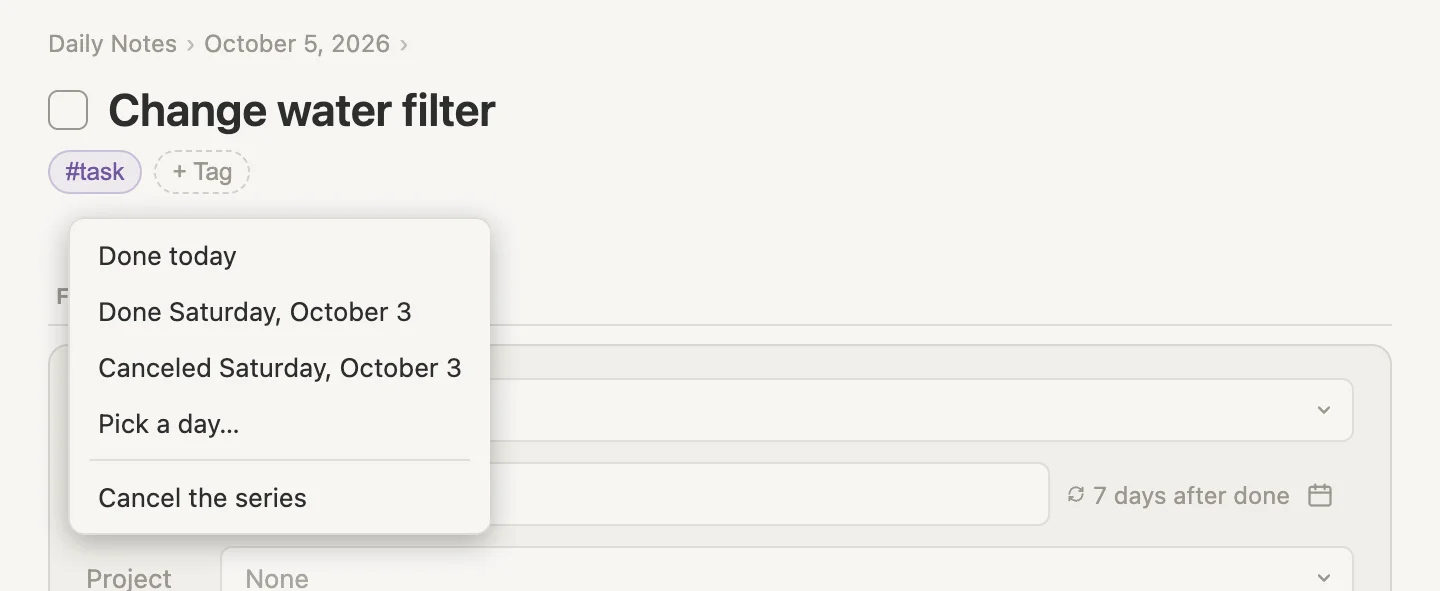
No Canceled today here either. A task counted from when it's done only has the one day it's waiting on, so there's nothing to cancel today.
Three ways the weekend could have gone. Pick the one that happened.
- We changed it on Sunday and forgot to tick it. Pick a day…, leave Done selected, click
4. Change water filter done yesterday. Back on Sunday, October 11. Seven days after Sunday. - We're changing it right now. Tick the checkbox. Change water filter done. Back on Monday, October 12. Seven days after today.
- We're skipping this one. Click Canceled Saturday, October 3. Change water filter canceled. Back on Saturday, October 10. Seven days after the Saturday it was due.
Same filter, three different next dates. The next one always counts from the day we pick.
Fixing a day we got wrong
Everything so far settles a day that hasn't been recorded yet. But sometimes the day we recorded is the wrong one.
Brush teeth, ticked this morning for last night
We brushed last night, forgot to tick it, and ticked Brush teeth PM first thing this morning instead. Vellum heard "done today": Brush teeth PM done. Back on Tuesday, October 6. So it's gone from today's list, and tonight's brush has nowhere to go.
Click the bullet dot next to Brush teeth PM to open it, and scroll down to DONE. Point at the top line, October 5, 2026, and three dots appear just after its time, with a + beside them. Click the dots, not the + (right-clicking the line opens the same menu).
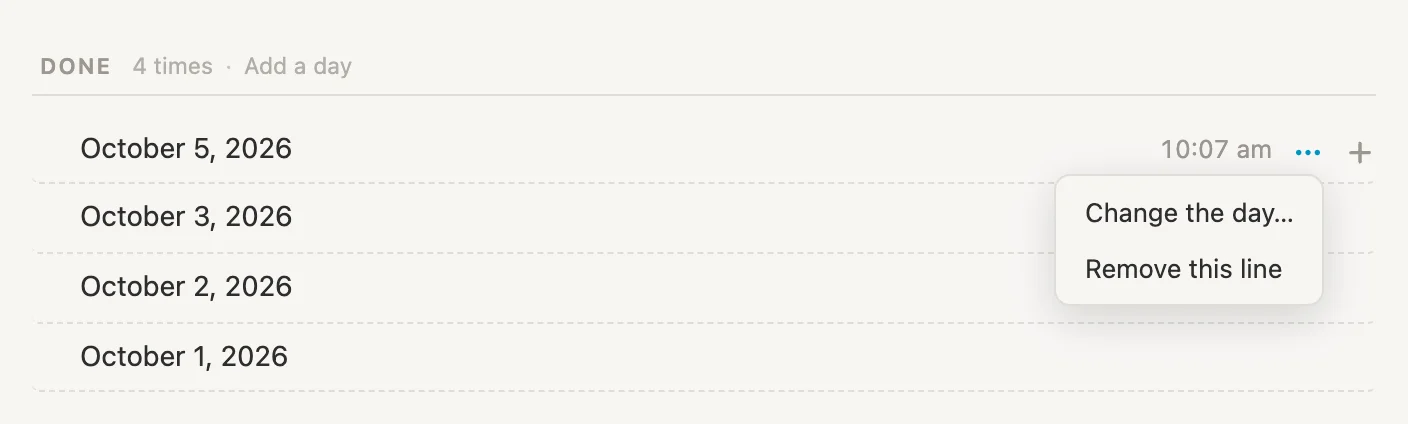
Click Change the day…. The month opens on the line's own day, with Done selected.
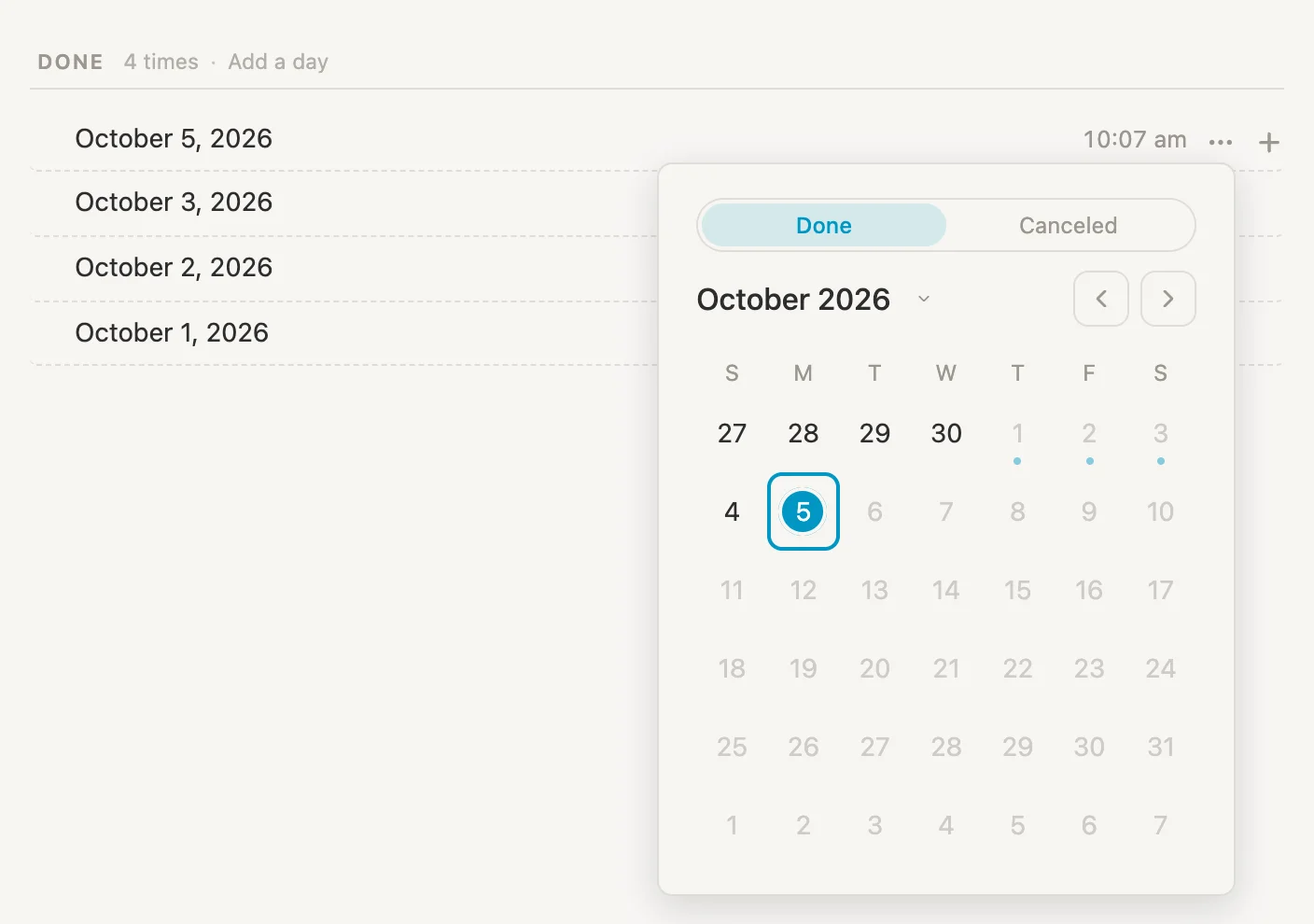
Click 4. Brush teeth PM done yesterday. Back today.
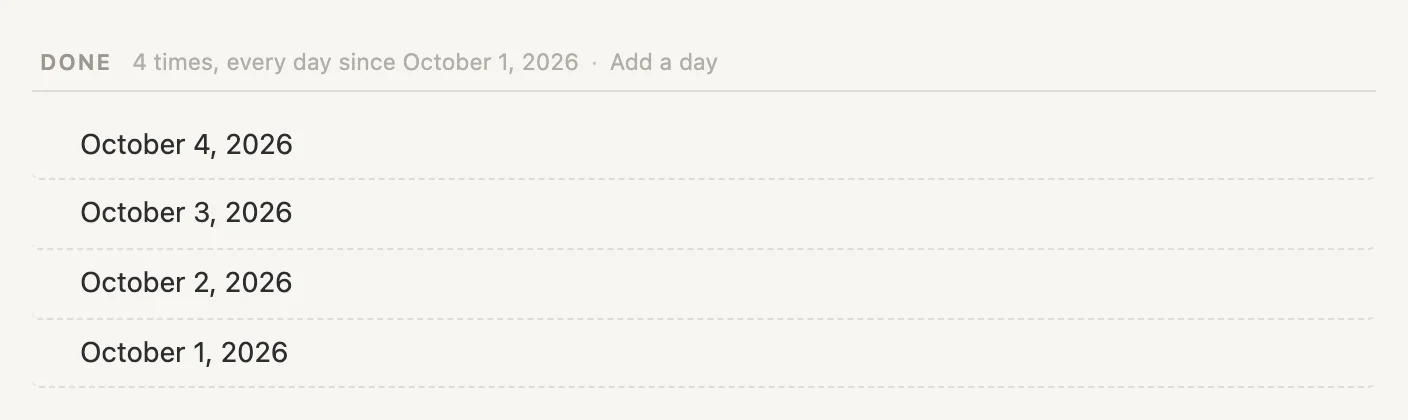
The line now reads October 4, and Brush teeth is back on today's list where it belongs. A repeating task follows its Done list: fix the list and the task moves to match, as long as we haven't typed a new date into its When box since. A date we typed ourselves stays where we put it.
Gym, and the Wednesday we didn't skip
Thinking about it, we did go on Wednesday. Late, after work, but we went. Open Gym, point at the struck-through September 30, 2026 line, click the three dots and choose Change the day…. This time the month opens with Canceled selected, because that's what the line says. Click Done at the top, then 30.
Gym done Wednesday, September 30. Back on Wednesday, October 7.
The Done and Canceled switch at the top of the month is how a line changes from one to the other. And because this was an older line, Gym doesn't move. It's still on Wednesday.
Ticked by mistake
Remember how we were definitely going to the gym tonight? We ticked it at 10 this morning to save ourselves the trouble later. And then it rained. (I know, terrible excuse, but hey, this is only a demo, right? 😁)
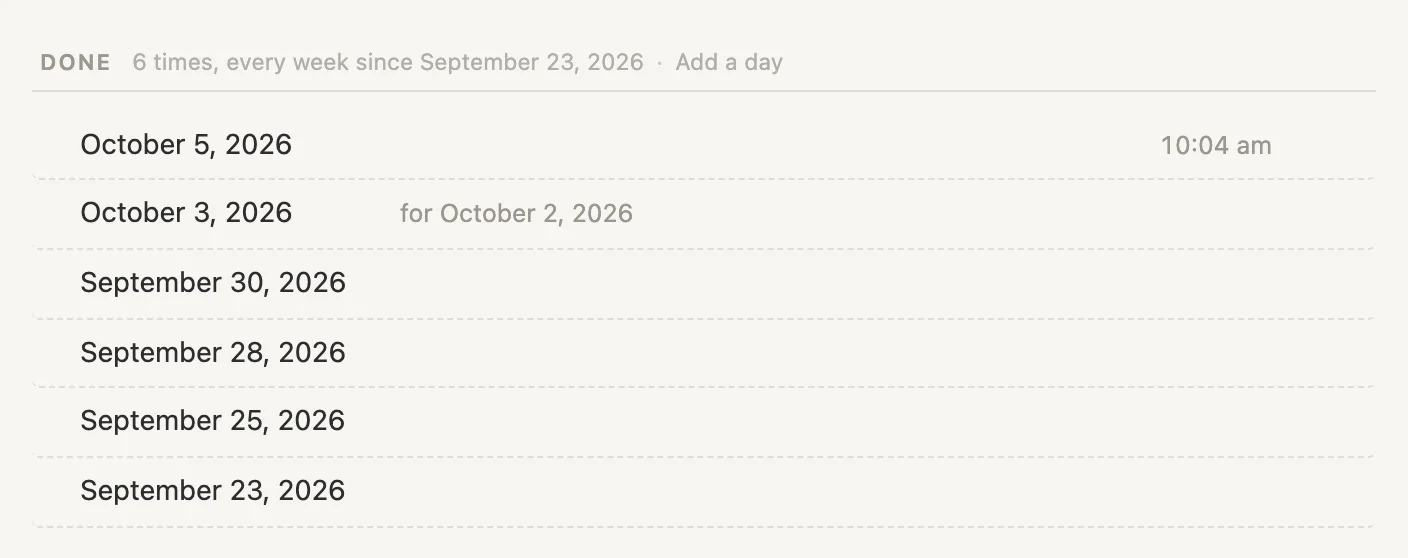
Open Gym, point at today's line, October 5, 2026, click the three dots and choose Remove this line.
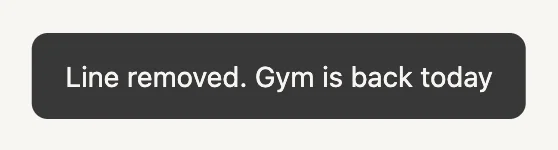
The line is gone and Gym is back on today's list, waiting for a night when it doesn't rain. Removing the line that moved a repeating task on puts the task back where it was.
Handy extras
A note on a done day
Each line in a repeating task's Done list can hold notes of its own. Open Gym, point at the September 28, 2026 line, and click the + at its right end, just after the three dots. Type Legs day, then a 5k run and hit Escape.
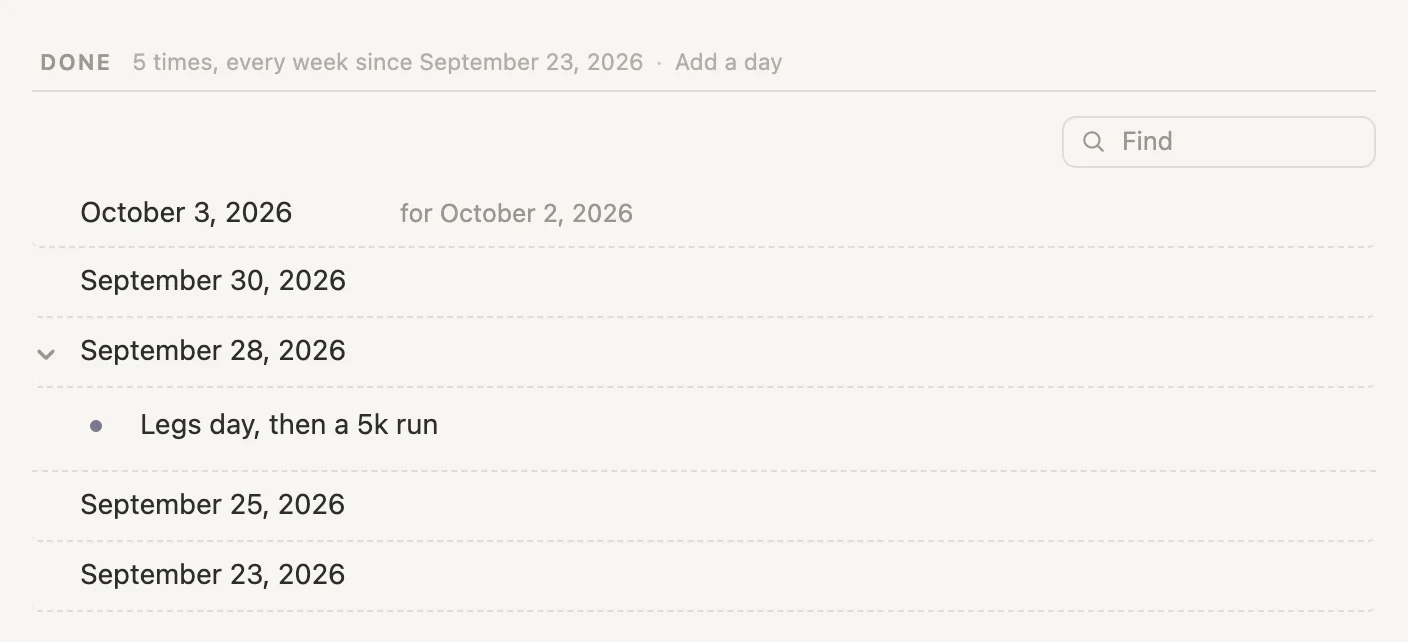
The note sits right under its day.
The keyboard
With the cursor in a task's title, Cmd-Enter ticks it and Shift-Cmd-Enter cancels it. On a late task they do what the menu does.
Cmd-Enteris Done today. Say Morning walk repeats every day and is still waiting on Saturday: Morning walk done. Back on Tuesday, October 6.Shift-Cmd-Enteron a late task cancels today if today is one of the task's days, and otherwise the most recent of its days before today. (On a task that isn't late, it cancels the session in its When box.) Floss, every day, still waiting on Saturday: today is canceled, and Floss canceled. Back on Tuesday, October 6. Bins out, every Thursday, still waiting on October 1: that Thursday is canceled, and Bins out canceled. Back on Thursday, October 8.
Wrapping up
So ... there we have it. A dozen or so tasks, one menu on the checkbox, one on each Done line, and a calendar that pops up whenever a day needs picking.
The ideas underneath it all:
- A date you type is for this time only. The repeat keeps its rhythm. When the repeat is on one day, like every Wednesday or the 1st of the month, the line under the box also offers Use … from now on.
- Pause, Stop repeating and Cancel the series are three different stops: a break, a last time, and done for good.
- Each choice records the one day you pick. Settling the day a task is waiting on moves it on past that day. Filling in an older day doesn't move it. Anything you don't record stays blank, and blank is fine.
- A day that isn't one of the task's own days makes up the most recent session before it. Saturday for Friday's gym, the 3rd for the 1st's rent.
- The checkbox menu settles a late task.
Shift-click or right-click the checkbox, on the task's own page or in Today's tasks. - The Done list fixes, fills in or removes a day, in any order. Done can go on any past day, canceled only on one of the task's own days.
- A repeating task follows its Done list. Fix the list and the task moves to match, unless you've typed a new date into its When box since.
Cmd-Ztakes any of it back, in one step.
Nothing here is special to gyms and houseplants. Swap them for piano practice, the electric bill or the dog's flea treatment, and the same few moves cover every week that doesn't go to plan. Which, let's be honest, is most of them 😁